4

Is there a way to Password Protect the USB Ports in Windows 8 so that every time a USB is inserted a prompt comes out asking for a password before it can be used on the PC ? Is this possible without 3rd party software ? Can it be done in Windows Group Policy ? If not i would like to hear suggestions about good 3rd party software.
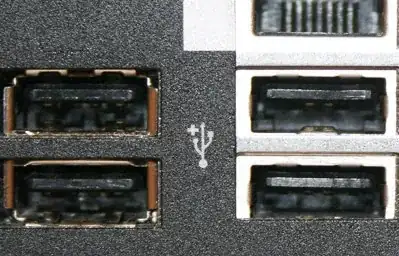
USB Port


Group Policy Solution

In Computer Configuration → Administrative Templates → System Removable Storage Access when enabling the policy All Removable Storage Classes: Deny All Access, my PC stops unauthorized access for all USB ports and all removable storage. That is what I actually wanted, but it is annoying that every time I want to use a USB port I have to open my Group Policy and disable the Removable Storage policy. A Prompt asking for administrator rights or a password prompt would be much better.

Devid
  • 6,299
  • 13
  • 55
  • 74
  • 1
    Someone asked the same question here with a link for how to do it with Group Policy: http://answers.microsoft.com/en-us/windows/forum/windows_xp-security/how-can-i-password-protect-my-usb-port/4acdf6a0-9058-4093-b80e-0dff468779dd and here are some 3rd party options: http://www.youtube.com/watch?v=fF_hE09sB8E or http://www.softpedia.com/get/Security/Lockdown/USB-Port-Locked.shtml Iam unsure how well these solutions will work on Win8 though, I don't have a copy to test with. – MaQleod Sep 21 '13 at 16:31
  • could you split this out into two separate questions - for windows and linux? – Journeyman Geek Sep 22 '13 at 00:21
  • @JourneymanGeek I think it is the same in Linux, you can not do it without third party software – Devid Sep 22 '13 at 09:32
  • The methods for each would be different. – Journeyman Geek Sep 22 '13 at 10:00
  • @JourneymanGeek ok i deleted from my question the Linux OS, after i find out how to do it the best way in Windows i will ask the same question for linux. – Devid Sep 23 '13 at 10:46
  • 1
    Group policy should satisfy your request, as it's linked to your username/password. Have a look at http://www.computerperformance.co.uk/win8/windows8-disable-usb-policy.htm on what options you have to play with... If you actually want a popup asking for a password, you'll need 3rd-party software but I don't know how effective they are. – Jakke Jun 23 '14 at 23:25

2 Answers2

2

(I know this is an old thread, but I feel that the information below is useful for anyone who is trying to accomplish what the OP asks.)

The following solution works in a domain environment and does not require the use of any third-party utilities.

Setting the Removable Storage Access policy under Computer Configuration applies the policy to the whole computer. By setting the same policy under User Configuration instead, you can apply the policy to a group of users (using security filtering), including your non-administrative account.

You can then leave the administrative account out of the security-filtered group.

When you need to access the drive, you will need to switch users (log in to Windows with your unrestricted administrative credentials).

You can launch explorer.exe as a separate user, but it requires making some registry changes. Please review this post for details.

NOTE: The above is written for domain environments, where the policy can be applied per-user using domain group policy management. You can apply group policy on a per-user (or per-group) basis in a standalone environment, but it is more difficult.

Jonathan J
  • 822
  • 1
  • 7
  • 11
-1

TrueCrypt is the best tool to password protect your USB , it works fine for windows 8 for me but i heard there are some issues

Here is a link which explains how to use this tool, procedure with screen shots

Note: TrueCrypt works fine for windows 8 for most of the users(including me) but i have heard that computers having UEFI BIOS have some issues with TrueCrypt For Windows 8

Fahad Saleem
  • 680
  • 3
  • 7
  • 1
    This is about password protecting the USB, but I am asking about password protecting the port where the USB is inserted into the PC. – Devid Jun 23 '14 at 22:36