4

Of late, My laptop has been extremely slow. I tried debugging the reason. Using this, How can I identify the culprit of my slow Windows shutdown?. I did found that idle process is taking 70% of the CPU Time

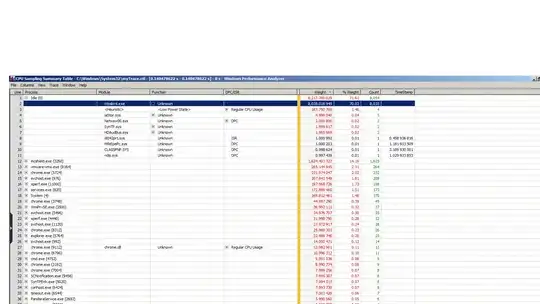
The screenshots are as follows:

Usage: enter image description here
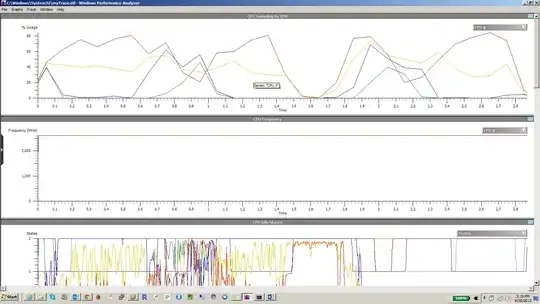
Usage Summary: enter image description here

CPU Idle State: enter image description here

psteelk
  • 221
  • 1
  • 3
  • 6
  • Adding 3rd picture regarding CPU Idle state: http://picpaste.com/fig2-Li1MoJxe.png – psteelk Sep 30 '13 at 08:57
  • Idle process should be taking 100% of your time (well, 99%)! – Dave Sep 30 '13 at 09:22
  • First: what is your taskmanager say is taking all those CPU-cycles? Second: Try disabling your virusscanner (mcshield.exe) to test if it's that one. – Rik Sep 30 '13 at 09:29
  • The idle process isn't taking any of your time. Your computer is probably waiting on something. Like, "stop Service X" but Service X needs to phone home to say "I'm stopping" before it stops and "home" is some dodgy server that's not always responding or fast. For a similar concept: http://blogs.technet.com/b/markrussinovich/archive/2012/07/02/3506849.aspx – ta.speot.is Sep 30 '13 at 09:32
  • Can you provide a spec of the system, how old is the system, and is it always slow or only slow at times? As it stands, this question is very broad. – Dave Sep 30 '13 at 09:32
  • It is a thinkpad and it is pretty new (1 month old). It runs core i5-3320M, 8GB RAM and 256GB SSD. It is not always slow but at times yes, extremely slow. I'm just wondering where to start debugging. Taskmanager seems to be pretty clean. – psteelk Sep 30 '13 at 10:52
  • Have you tried disabling your virusscanner (mcshield.exe) to test if it's that one? – Rik Sep 30 '13 at 10:54
  • Yes, I did. Just that I'm not able to replicate the scenario. Will update once I'm able to do it. – psteelk Sep 30 '13 at 11:46
  • what is slow? When it the laptop slow? – magicandre1981 Sep 30 '13 at 17:28
  • Using taskmgr, display the processes. Click on View > Select Columns and display the CPU column. Click on the CPU column to sort by usage. What processes show as consuming a lot of CPU? Also, is it only shutdown that is slow? – Debra Oct 01 '13 at 05:11

0 Answers0