I have a Samsung Series 5 NP530U4CL Laptop and I can not get into the BIOS, I have been trying using all function Keys, Tab, Esc, Del and nothing works, can anybody help me? The Model Code is NP530U4C-A05MX.
Asked
Active
Viewed 6.1k times
0


-
I would contact Samsung. This question has been asked about similar Samsung hardware http://superuser.com/questions/656956/i-cant-access-the-bios-setup-using-f2-key-on-samsung-laptop-model-np270e5v?rq=1 – Ramhound Nov 13 '13 at 17:31
-
Thank you @Ramhound8 but it does not work, i still have the problem. – Falco64 Nov 13 '13 at 17:48
-
What exactly "Does not work"? – Ƭᴇcʜιᴇ007 Nov 13 '13 at 18:01
-
@Falco64 - Its suppose to work. There is no other key that can work. You are sadly doing something incorrect. I would check the manual to make sure you are doing it the correct way. – Ramhound Nov 13 '13 at 18:18
2 Answers
2
Within windows 8 you can access the bios and configure as you wish. In search type Advanced Options then search for the bios option and select it. Works fine for me now I have F2 menu on startup. Entering the bios on samsung almost turn me crazy

albal
- 1,233
- 1
- 11
- 23

Jorge jarpa
- 21
- 2
-
On these laptops, you HAVE to use this method. There is a button under advanced startup options in the settings app (Windows 8). This will take you into the startup section, and you can access the firmware settings (bios) from there... – Questionmark Jun 16 '17 at 13:38
-1
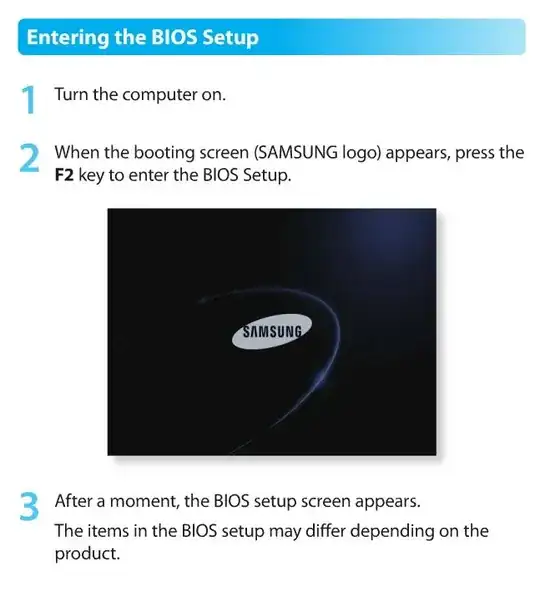
According to Samsung's site, the user manual and the FAQ, tap F2 while the unit is powering up. Make sure you are only using the F2 key and not combined with another key.

CharlieRB
- 22,566
- 5
- 56
- 105