Used space on Disk C: doesn't match actual used space. Difference is around 30 GB.
Results of chkdsk:
     116859903 KB total disk space.
      70064692 KB in 249924 files.
        135696 KB in 53311 indexes.
             0 KB in bad sectors.
        552999 KB in use by the system.
         65536 KB occupied by the log file.
      46106516 KB available on disk.

      4096 bytes in each allocation unit.
  29214975 total allocation units on disk.
  11526629 allocation units available on disk.
In addition it has listed the following:
    The Volume Bitmap is incorrect.
    Windows has checked the file system and found problems.
    Please run chkdsk /scan to find the problems and queue them for repair.
To which I have run chkdsk /scan and it comes out with no errors found. I have also attempted running the Tools > Error checking in the properties dialog of the disk with the same outcome.
However, the indication in This PC and the Local Disk (C:) Properties shows 97.4 GB used or 13.9 GB free space.
Completely contrary to:
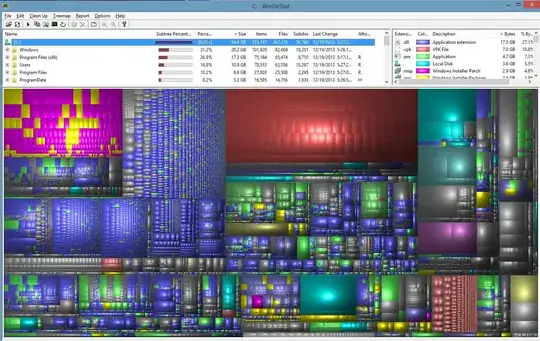
chkdskwith 43.97 GB freeWinDirStatwith 64.6 GB usedSpaceSnifferwith 71.9 GB used
 Any idea why the difference would be there and how to resolve the issue?
SpaceSniffer shows 25.5 GB Unknown (not yet scanned) Space. Found thanks to this question here. However I do not have the Lenovo R&R backups issue (RRBackups folder in C:) as specified in that question.

Still working on figuring out what that unknown space is. If anyone has any suggestions please let me know.

