2

I run Ubuntu 13.10 as a guest in VMware Workstation 10.0.1. (update 2017-10-25: I still have the issue, now with Kubuntu 16.04 LTS x64 + VMware Workstation Pro 14.0.0.).

The host OS is Windows 7 SP1. Dragon NaturallySpeaking 12.5 is installed on the latter. However, when I try to write some text on Ubuntu through voice recognition with Dragon, no text get written inside the virtual machine. How I can get Dragon NaturallySpeaking to talk into my virtual machine?

I don't have this issue with Oracle VM VirtualBox. I have the same issue with VMware + Windows XP SP3 as guest.

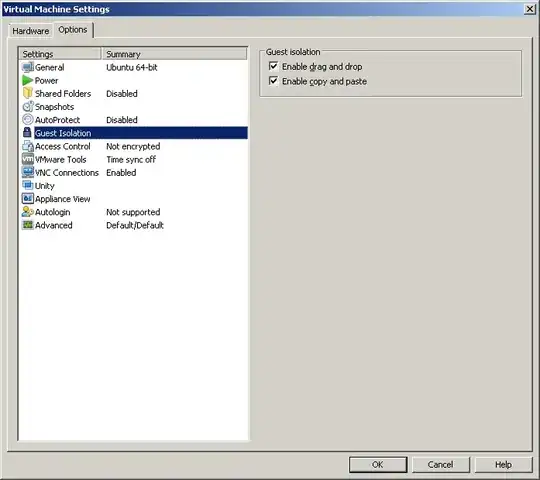
My settings:
enter image description here enter image description here

Updates:

Franck Dernoncourt
  • 20,384
  • 48
  • 186
  • 322
  • Do you mean you talk to DNS on your Win7 box and want DNS to type into your VM? .. if so, is the VM you want to 'talk' to the active window when you're talking? – txtechhelp Jan 06 '14 at 13:19
  • Yes, this is what I'm trying to achieve. The VM is the active window. – Franck Dernoncourt Jan 06 '14 at 13:23
  • strangely, now it works in VirtualBox. (It didn't work before). If VNC is too cumbersome, I recommend going through the dictation box. – user 99572 is fine Jan 06 '14 at 13:42
  • 1
    @user99572isfine I didn't do anything in particular, I think this guy also uses VirtualBox: http://ergoemacs.org/emacs/using_voice_to_code.html . I should re-check though if everything was working okay with VirtualBox, I'll try to verify this sometime this week. You might have to install the virtualbox guest additions. – Franck Dernoncourt Jan 06 '14 at 14:01

2 Answers2

1

I got the exact same problem when I switched to VMWare. Both the host OS and the guest OS are Windows 7 SP1. With Dragon NaturallySpeaking 12.0.

Fortunately I created the virtual machine with a single disc file, as opposed to having the virtual machine disc spread over several files (multiple files are a problem for VirtualBox, or at least has been). So I simply created a new virtual machine in VirtualBox, using the existing file for the virtual machine. All that was required was to install VirtualBox guest add-ons in the virtual machine, and I was up and running again.

poppe1219
  • 11
  • 1
  • Thanks, so in the end you went back to VirtualBox to run or create the VM? – Franck Dernoncourt Jan 17 '14 at 00:30
  • Yes, exactly. It wasn't worth the hassle of staying with VMWare. I was bothered by other quirks of VMWare as well, like how if you switch between a virtual machine and an application on the host, it sometimes wouldn't let go of its focus, and the application was opened behind the virtual machine instead. Switching between virtual machines and other applications was never a problem with VirtualBox. – poppe1219 Jan 21 '14 at 20:14
  • Yeah the thing is that I want to keep using VMWare :) – Franck Dernoncourt Jan 25 '14 at 15:37
0

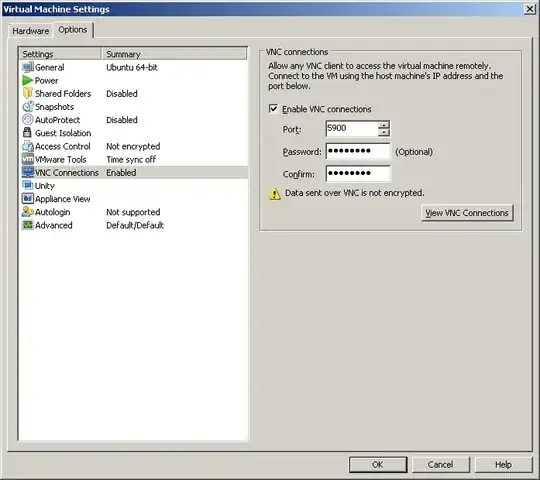
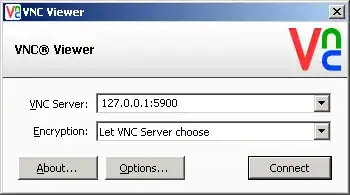
One way to circumvent this issue is to go though VNC:

enter image description here enter image description here

Franck Dernoncourt
  • 20,384
  • 48
  • 186
  • 322