I'm sure I have given all the rights to my account and I'm the Project & Build Administrator for my project.
All our work machines have recently been formatted, and VS2012 has been installed afresh. We did the mapping to our respective work-spaces. Everything works fine, except for one developer who did not check-in before his machine was formatted, so that file has remained checked-out and locked in his workspace. Even administrators are not allowed to unlock that file.
In Visual-Studio 2012 & Team Foundation Server 2012:
Source Control Explorer>File>Advances>unlock option is
disabled. See Image below :
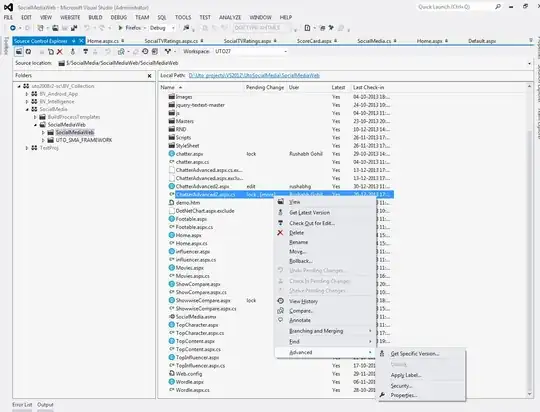
Please help. I have tried many commands from the Visual Studio command prompt which didn't seem to work.
Here are some commands that I've tried:
tf lock /lock:none /workspace:uto27; uto\pavitar  $/socialmediaweb

tf lock /lock:none /server:http://192.168.0.116:8080/tfs/bv_collection /workspace:uto27;uto\pavitar $/SocialMedia/SocialMediaWeb/SocialMediaWeb/ChatterAdvanced2.aspx.cs /recursive

tf undo /server:http://192.168.0.116:8080/tfs/bv_collection /workspace:uto27;uto\pavitar $/SocialMedia/SocialMediaWeb/SocialMediaWeb/ChatterAdvanced2.aspx.cs /recursive

