I have read this topic: Windows 8.1 Insufficient storage available to create shadow copy
And started an administrator prompt and:
wbadmin start backup -backuptarget:e: -include:c:
and got this output:
Creating a backup of volume (C:), copied (60%). The backup of volume (C:) could not be completed. Error: De back-up is mislukt o mdat een shaduwkopie op het bronvolume is verwijderd. Dit kan zijn veroorzaakt d oor veel schrijfactiviteit op het volume. Probeer de back-up opnieuw uit te voer en. Als het probleem zich blijft voordoen, kunt u wellicht de opslagruimte voor schaduwkopieën uitbreiden met de opdracht VSSADMIN Resize ShadowStorage.
Summary of the backup operation:
The backup operation stopped before completing. The backup operation stopped before completing. Log of files successfully backed up: C:\WINDOWS\Logs\WindowsBackup\Backup-02-04-2014_09-06-42.log
Log of files for which backup failed: C:\WINDOWS\Logs\WindowsBackup\Backup_Error-02-04-2014_09-06-42.log
De back-up is mislukt omdat een shaduwkopie op het bronvolume is verwijderd. Dit kan zijn veroorzaakt door veel schrijfactiviteit op het volume. Probeer de back -up opnieuw uit te voeren. Als het probleem zich blijft voordoen, kunt u wellich t de opslagruimte voor schaduwkopieën uitbreiden met de opdracht VSSADMIN Resize ShadowStorage.
Opening the log gave me the same info as in the output of the wbadmin.
C:\WINDOWS\system32>notepad C:\WINDOWS\Logs\WindowsBackup\Backup_Error-02-04-201 4_09-06-42.log
This is my diskmanager:
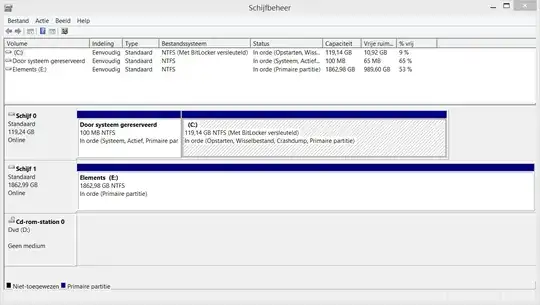
so all partitions have sufficient free space. vssadmin resize shadowstorage did not work and removing the shadow does not work either.
This is the storage list:
C:>vssadmin list shadowstorage vssadmin 1.1 - Volume Shadow Copy Service administrative command-line tool (C) Copyright 2001-2013 Microsoft Corp.
Shadow Copy Storage association For volume: (E:)\?\Volume{90664127-73bc-11e3-bed1-005056c00008}\ Shadow Copy Storage volume: (E:)\?\Volume{90664127-73bc-11e3-bed1-005056c000 08}\ Used Shadow Copy Storage space: 0 bytes (0%) Allocated Shadow Copy Storage space: 0 bytes (0%) Maximum Shadow Copy Storage space: 279 GB (15%)
I have ran a bitdefender full scan yesterday which took several hours (over 5) and if I use the GUI, I always get 0x80780169
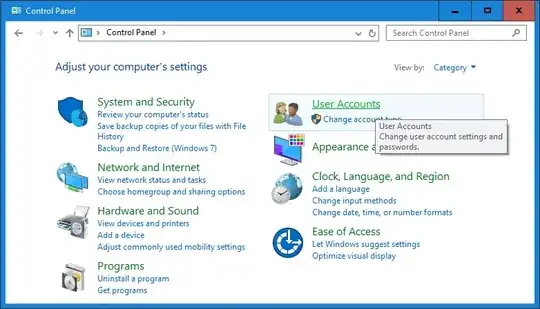
ps. sorry for the dutch parts, but I'd rather have an exact output copy then a false translation
edit I found an article online about a timeout. I have set the value of the service in the register (regedit) but did not solve it.
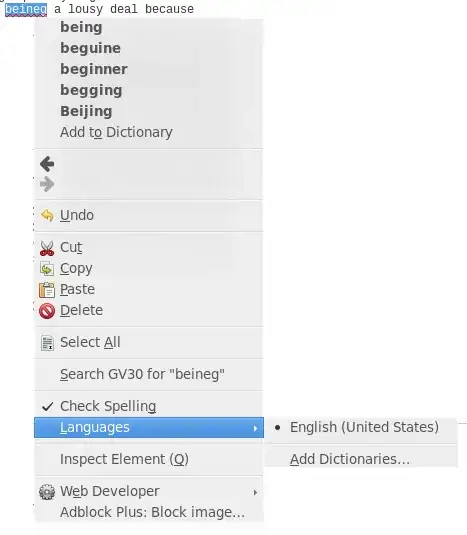
edit2 I am decrypting my drive:
edit3 making a sys image backup with an unencrypted drive did not work. also when I rebooted the pc. Turned bitlocker back on because of security (obvious) still no solution. still have 0x80780169 in my eventvwr
Perhaps it is just this bug in windows: http://answers.microsoft.com/en-us/windows/forum/windows8_1-system/cant-backup-81-using-system-image-backup-error/90e39029-ff0d-4318-8701-5f7078198cd0
any thoughts on that before I start the 13!! steps...
to prove that seany is wrong and that there still is an option to make a win8 full img backup: (bottom left) sorry for dutch screenshot btw


