4

PDFs can contain embedded U3D objects.

See this one for example - http://www.carare.eu/eng/content/download/2601/20492/version/1/file/Castle_of_Bouvignes_Belgium_landscape.pdf

Is there a way to extract the .U3D object from a PDF so that it can be viewed and edited in another program?

I've tried opening the PDF in Acroread - it renders the 3D object, but there's no way to export it.
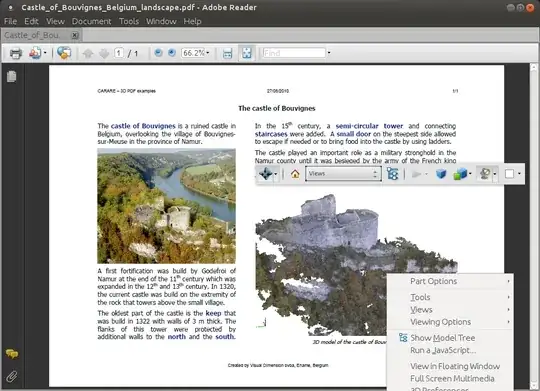
enter image description here

PDFedit doesn't seem to have any support.

Would be very handy if it were Linux command line - but that's not essential.

Terence Eden
  • 813
  • 2
  • 7
  • 22

1 Answers1

1

I know this question is kinda old, but nonetheless:

I managed to extract u3d objects with pdf-parser.py.

pdf-parser.py -t /3D input.pdf

gives you the object ID(s). Then use

pdf-parser.py -o $ID -d output.u3d input.pdf

to extract the given object. BTW pypy significantly improves the speed over cpython.

If someone finds a way to convert the u3d file to something usable, please reply.

Mathias
  • 196
  • 5
  • That's really helpful, thank you. Just need to find a way to view the U3D now :-) – Terence Eden Feb 01 '16 at 15:50
  • 1
    There are a few commercial products claiming compaibility. I tried the trial of [Simlab Composer](http://www.simlab-soft.com), it was able to open the files. But I need to convert them. I didn't find a free solution to do so. _Universal3D_ doesn't seem to be that universal... – Mathias Feb 02 '16 at 07:55