This is really weird, because I don't recall making any large changes or messing around with about:config in Firefox. I was on FF 30 the whole time.
The problems just emerged. Here's some example:
Youtube no longer working with Youtube Center. The video doesn't even pop up, as if the browser doesn't detect it as an element. It's just a black space. Also, no thumbnails can be seen from related videos, though they are still clickable links.
In Tumblr, I can no longer extend my dashboard to see older posts. Not sure if this is a default Tumblr feature, or because of my Endless Tumblr script not working, but it's not working at all.
Also in Tumblr, when I click on an image within a post, it no longer pops up an internal window (whereby I can just click outside of the window, and continue browsing my dash). Instead, it RELOADS into the internal window (I now have to hit back, and have to reload my whole dash again, and I have to find which post I left off from), and the image just loads forever. It doesn't even show up.
Right before I came into SuperUser, there was some message about needing external JavaScript support. I refreshed the page, and the message was no longer there. What?
and most importantly;
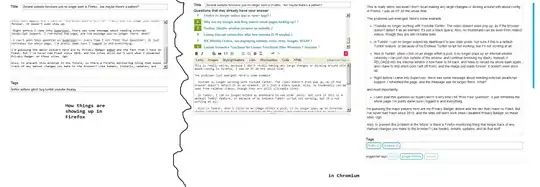
I can't post this question on SuperUser!!! Every time I hit "Post Your Question", it just refreshes the whole page. I'm pretty damn sure I logged in and everything. There's also some major appearance difference going on.
EDIT:
Tried to dig up my old twitter account, and it looks like it had the same problem as tumblr. Refused to extend at the end of the page to allow for past tweets to load.
Captcha refused to load, so I couldn't outsource the question to some fine folks in 4chan. That's another problem, I suppose.
When I tried to run Firefox without addons in safe mode, things are all ok again. I'm guessing the major players here are my Privacy Badger addon and the fact that I have no Flash. But I've never had Flash since 2010, and the sites still don't work when I disabled Privacy Badger on these sites. Ugh.
Also, to prevent this problem in the future, is there a Firefox monitoring thing that keeps track of any manual changes you make to the browser? Like tweaks, installs, updates, and all that stuff.
SOLVED
It was some nasty userscript, apparently. Greasemonkey disabled, and everything worked fine again. So uh, how do I rep the commenters and close this thing for good, mods?
