0

Where Adobe CS 5.5 (trial) stores fonts? I already added to %windir%\fonts folder these two fonts (yes, same name font (ttf)), but still when I want to open *.fla, dialog prompt still shown that fonts are missing:
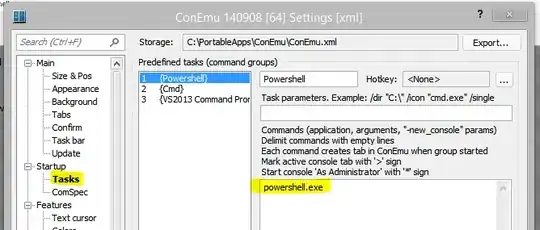
enter image description here

Win 7, 64bit

adding font folder to %commonfiles%\Adobe\Fonts solving only one font, see: enter image description here
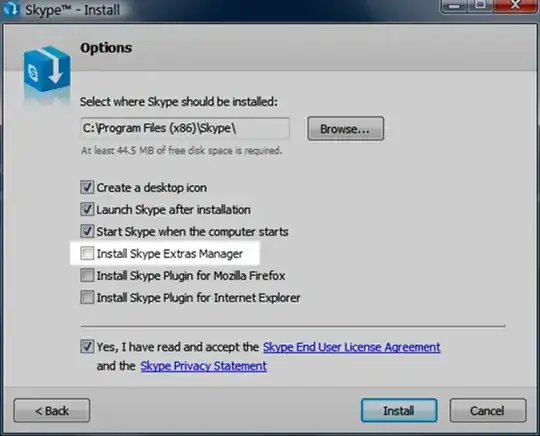
Output of cmd, what asked and31415: enter image description here

Second output: enter image description here

Jerry1
  • 249
  • 1
  • 4
  • 15
  • Try placing the fonts in the `%commonprogramfiles%\Adobe\Fonts` folder. Create the folder yourself in case it doesn't exist already. – and31415 Jul 19 '14 at 09:09
  • Strange... this advice just solved one font, but remains second- see edited question top. – Jerry1 Jul 19 '14 at 11:12
  • Try running this command in a command prompt and post here the output: `cd /d %systemdrive% & dir TheMix*.ttf /b /s` – and31415 Jul 19 '14 at 18:11
  • I give you output of your commands to first of my post (initial question of this topic- because there is photo uploader...) – Jerry1 Jul 19 '14 at 20:36
  • Run this command too: `cd /d "%windir%\Fonts" & dir TheMix*.ttf /b` To easily copy the actual command output, right-click an empty area in the command prompt choose **Mark** from the context menu. The select the text you want to copy, and press Enter when you're done. – and31415 Jul 20 '14 at 10:25
  • Thx for your advice about copy text from cmd prompt, I know it, but prefer edit first post- because there is easy image uploader and text formater bar with functions. Still dont understand how to format code in small reply box there in thread... – Jerry1 Jul 20 '14 at 13:44
  • please anyone know? – Jerry1 Jul 21 '14 at 14:20
  • Try removing all copies of those fonts, restart, and install them again. Make sure the `Fonts` folder contains a single copy for each `.ttf` file. – and31415 Jul 27 '14 at 17:14
  • If I were you, I'd try reinstalling Adobe CS. It appears that something went wrong in the installation and where it finds the fonts. I'm not entirely sure why this is happening but this might help. – LordOfKhaos Sep 18 '17 at 11:26

0 Answers0