As per title, I am looking for a way to embed animated GIF files within my powerpoint presentation. I was hoping for this to be native functionality but either inserting as image or as video does not appear to work.
Asked
Active
Viewed 7.4k times

1 Answers
34
You can add any animated *.gif by just drag and drop from explorer window, or in the ribbon UI click Insert - Pictures and navigate to your gif image, and click Insert. Press F5 to begin the slideshow. Make sure your GIF file is animating by opening it with Internet Explorer, because static GIFs never animate.
Here's the MS Powerpoint 2013 demonstration: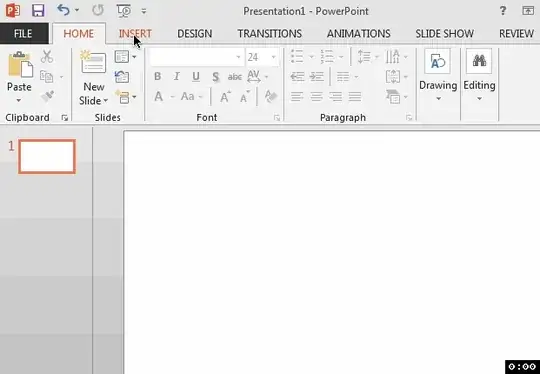

Ĭsααc tիε βöss
- 2,252
- 1
- 18
- 25
-
1Do you know a way to keep the GIF also playing when you format it with some style effects (like a border)? in office 2007 it worked, but I could not identify a way for 2013 so far – Waylander Mar 31 '15 at 07:57
-
9Love the way you reply with an animated gif; +1 – Often Right Aug 26 '15 at 07:19
-
Hey Isaac, awesome reply! What the software you use to produce this animated gif? – Click Ok Sep 30 '16 at 02:06
-
1@ClickOk It's LiceCap. [http://www.softpedia.com/get/Multimedia/Graphic/Graphic-Capture/LICEcap.shtml](http://www.softpedia.com/get/Multimedia/Graphic/Graphic-Capture/LICEcap.shtml) – Ĭsααc tիε βöss Sep 30 '16 at 13:32
-
What about .PNG? – Pedro77 Sep 04 '17 at 22:02