2

I'm starting using emacs. I know that everything of emacs is customizable. But, one thing I can't even found on internet is modifying the default emacs' widget's Look and Feel.

Is there some way to custom it's background, shape, etc or just using UTF-8 character (for example checkbox using ☑ character)?

Well, as a new user, I was quite boring with the customize interface. Some kind of
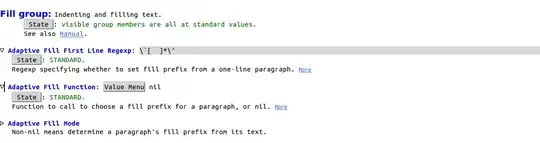
boring preference UI

I want to change onto a flat-styled ui or a better one.

Abdillah
  • 141
  • 4
  • 1
    As you become more familiar with Emacs, most of the advanced customization will be done by hand -- manually editing the `.emacs` and additional files containing your favorite libraries and so forth. Soon, you'll probably find yourself blocking and copying from sample code found on the internet to your `.emacs` file. I believe the customization interface is really just to help out newcomers until they become accustomed to Emacs and then edit by hand. It is certainly possible to change the look and feel of the customization interface, but may not be a good use of your time. – lawlist Aug 28 '14 at 04:33

0 Answers0