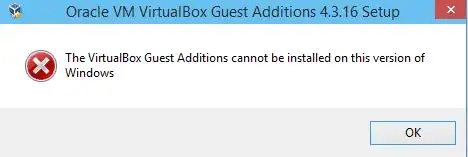
I am trying to install VirtualBox guest additions on Windows 10 technical preview, and am getting the following error:
I imagine I am not the only one having this issue, is there any way to force it to install?
I am trying to install VirtualBox guest additions on Windows 10 technical preview, and am getting the following error:
I imagine I am not the only one having this issue, is there any way to force it to install?


It's a preview version, so I suspect it's doing naive version checking. An update for VirtualBox or Windows 10 should do the trick eventually.
For now, right click on it, select Properties, the Compatibility tab, and select Windows 8 compatibility there. Much easier than using the compatibility troubleshooting I did initially.

However, the drivers don't actually seem to work once installed, so an update would probably be needed. (Can't believe I actually missed that.) Once again, it's a preview version, and it doesn't quite work right.

Use of Windows Compatibility settings (or use /force) will not work: installer will run, but with no real effects.
Install VirtualBox 4.3.18 or newer. It has improved compatibility with Windows 10.
Note: Menu Help > Check for updates may not reflect the newest as being the latest. Download it manually instead.
Windows Host: Download from Virtualbox Download page for latest.
Ubuntu Host: run the following commands to register the virtualbox.org repository with the package manager and update from it:
sudo add-apt-repository "deb http://download.virtualbox.org/virtualbox/debian xenial contrib"
wget -q https://www.virtualbox.org/download/oracle_vbox.asc -O- | sudo apt-key add -
sudo apt-get update
sudo apt-get install virtualbox-6
If you prefer, you can install the oldest virtualbox-5.2.
According to your distribution, replace xenial with any other Ubuntu release, like zesty, yakkety, xenial, vivid, utopic, trusty, raring, quantal, precise, stretch, lucid, jessie, wheezy, or squeeze.
Others: Check the download page here.


