I have lines of data in a text file where each entry is separated by tab. I want them in different columns and each line to form a separate row in Excel.
I tried using Data > Import but it all comes in on single column. Is there a way to do this ?
I have lines of data in a text file where each entry is separated by tab. I want them in different columns and each line to form a separate row in Excel.
I tried using Data > Import but it all comes in on single column. Is there a way to do this ?


Select all of the data, paste into excel and then use the 'text import wizard' from the dropdown. Use the 'delimited' data type with tab separators and you should be set.
Also please add full information in future questions (version of excel, etc.).

Go to the Data tab and select text to columns under data tools then select delimited and hit next. Then select Tab [or] Space1 as the delimiter and hit finish
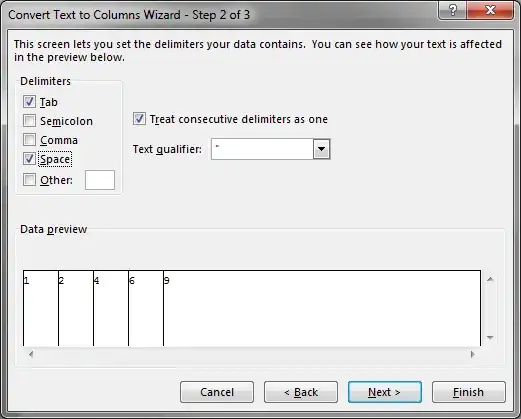
1You may need to check treat consecutive delimiters as one
brought to you in part by our sponsors

If I recall, Excel will ask when you open a specific file to specify the column delimiter if you OPEN the file as a .txt or .csv file.

