3

In the past there was a trick to match all incoming e-mail in Outlook.com (including spam):

If sender email contains @ then ...

Since they updated their rules to a new system, when I want to edit the above rule I get:

We can't edit rules created in the old rules system. To edit this rule, please delete it and create a new one.

So I removed the old rule, but now I can not make a rule that matches all e-mails. There is no "Help" button and I have no idea whether I can use wildcards or not. A very bad design...

Anyway, anyone any suggestion?

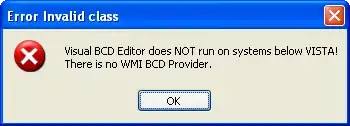
EDIT: Apparently there is also this bug: enter image description here
Davor Josipovic
  • 651
  • 9
  • 20
  • What action do you want the rule to take? Maybe there's another way to do this that doesn't require a catch-all rule. – Wutnaut Nov 03 '14 at 20:13
  • @Wutnaut Forward + move. But that's begging the question... – Davor Josipovic Nov 03 '14 at 20:37
  • @davor - I just found out that all my previous rules are frozen and cant be edited.. and apparently they are not working either. Any workarounds? or do we have to delete and recreate each? 20 or more rules I have.. – Alex S Aug 29 '15 at 12:25
  • @AlexS, unfortunately, no. Have not found any workaround. – Davor Josipovic Aug 29 '15 at 15:03

1 Answers1

3

It seems like the new outlook does not allow that kind of rule. You can always create two rules. For example: Rule1 - move all messages with no attachment to inbox Rule2 - move all messages with attachment to inbox

LiriB
  • 131
  • 3
  • 1
    Nice suggestion, but it doesn't seem to work for mail forwarding: `You've reached the limit for forwarding rules. To add a new forwarding rule, delete an existing one.` – Davor Josipovic Nov 03 '14 at 20:44
  • That error doesn't seem to be relevant, how many forwarding rules do you have? Did you try deleting one like the error message says? – Wutnaut Nov 03 '14 at 20:46
  • 1
    @Wutnaut I actually have 0 rules. I think I tried too many, and the error is refering to that. But anyway, hampidampi solution would require atleast 2 forwarding rules to work. Will try again later. – Davor Josipovic Nov 03 '14 at 20:49