2

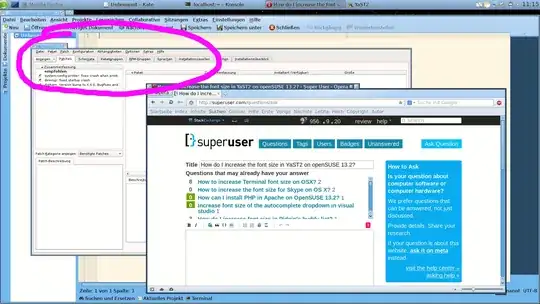
screenshot of YaST2 in comparison to other applications

The font size in that application is eyestrainingly small for me to work with. How do I set it to a size of my choice?

daxim
  • 1,277
  • 1
  • 15
  • 29
  • Does it use qt? If so, use qtconfig in terminal. – QuyNguyen2013 Nov 09 '14 at 18:40
  • Changing font size with `qtconfig` (or rather, `kdesu qtconfig`, since YaST2 runs as root) works in other Qt (plain, not KDE) applications, such as avidemux2_qt4, cuneiform-qt, flo, juffed, kchmviewer, openpref, qasconfig, qashctl, qasmixer, qlipper, qpdfview, qtconfig itself, quiterss, qvlc, qxkb, simsu, virtualbox-qt, zint-qt, but not in YaST2. – daxim Nov 09 '14 at 19:54
  • Try to use `/usr/lib/qt3/bin/qtconfig` as root, as YaST2 may still be a Qt3 application. – harrymc Nov 09 '14 at 20:14
  • I didn't have any Qt3 applications or libraries installed, so this is a dead end. To be sure, I installed package `qt3` and tested with `/usr/lib/qt3/bin/qtconfig`, but as expected this has no effect on YaST2. – daxim Nov 09 '14 at 21:00
  • What about kcontrol? – QuyNguyen2013 Nov 09 '14 at 22:00
  • kcontrol is for KDE3 and does not even run properly anymore, this is a dead end. I have used systemsettings, the KDE4 successor, to change application styles and fonts. This applies to both KDE4 applications and plain Qt applications. YaST2 remains unaffected. – daxim Nov 10 '14 at 11:04
  • qtconfig is mentioned everywhere as the solution to Yast2 font size. Try to launch it from a real root login rather than via kdesu. – harrymc Nov 11 '14 at 16:07

2 Answers2

1

The culprit is

[super-user-command]
super-user-command=sudo

in ~/.kde4/share/config/kdesurc. When that configuration item is either removed, or the full path to the sudo binary is supplied, application styles and font settings work in YaST2, too.

daxim
  • 1,277
  • 1
  • 15
  • 29
  • So this WAS a problem of kdesu, and my comment above that I deleted when you posted your answer was correct after all. So I put it up as an answer. – harrymc Nov 11 '14 at 16:11
0

qtconfig is mentioned everywhere as the solution to Yast2 font size.
Try to launch it from a real root login rather than via kdesu.

harrymc
  • 455,459
  • 31
  • 526
  • 924