0

https://superuser.com/a/316966/269574 didn't help. When I printed this as a PDF , the text is aligned left, but covers only 60% of each page`s length. The remaining 40% length is wasted as blank space on the right.

How can each page`s length be filled, without blank space? I use Adobe Acrobat XI Pro 11.0.0 and Mozilla Firefox 32.0.3. I screenshot the print result for p 4 of 20:
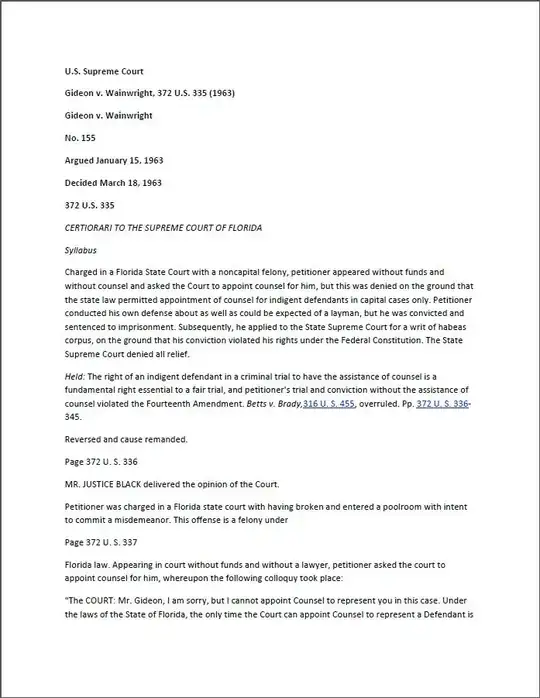
enter image description here

  • 1
    The alignment is perfectly works with Google chrome. I just tried and saved the page using Ctrl+P > Save as PDF. The alignment was perfect. Yes, Firefox does includes the side web page link and the format was not recognized while printing it as pdf. And no such Print settings to leave the side web link and print only the main content. – BDRSuite Dec 02 '14 at 17:19

1 Answers1

0

This is happening because you are dealing with a web page that is not formatted to be printed. I see two options.

Option 1. For a clean, text only document, copy the text to a Word (or whatever word processor you use).

  • Format it as you wish
  • Create a PDF

The results will be like this:

enter image description here

Option 2. Create a PDF of the web page itself.**

  • Open Adobe Acrobat
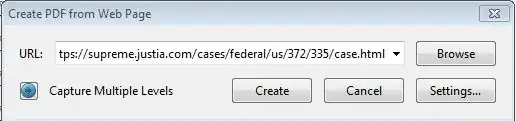
  • Choose File > Create > PDF from Web Page
  • Enter the URL for the page you want

enter image description here

  • Click Create

Option 2 creates a page like this:

enter image description here enter image description here

CharlieRB
  • 22,566
  • 5
  • 56
  • 105