0

I know that has a lot of topic like this, I've tried them a lot as well but my problem is not solved. My laptop has Core i3 and I used to use VBox just a few days before. When RAM got up to 99% my laptop crashed. I had to restart and now I cannot run VB again although VT-x is enabled and Hyper-V is disabled.

Acceleration tab is disabled:
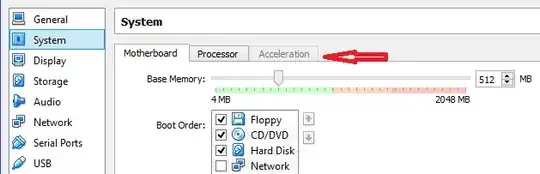
Acceleration tab greyed out

Can anybody help me? Thanks a lot!

gronostaj
  • 55,965
  • 20
  • 120
  • 179
Fingertron
  • 155
  • 1
  • 2
  • 7
  • Take a look: http://superuser.com/questions/866962/why-does-virtualbox-only-have-32-bit-option-no-64-bit-option-on-windows-7/866963#866963 and http://www.fixedbyvonnie.com/2014/11/virtualbox-showing-32-bit-guest-versions-64-bit-host-os/ – Leo Chapiro Jan 21 '15 at 08:52

1 Answers1

0

Try following steps:

  1. Reset BIOS to defaults.
  2. Boot to Windows.
  3. If VT-x is disabled in BIOS, enable it.

Some BIOS-es have bugs that cause features to become unavailable after crash, despite being enabled. Re-enabling them requires some voodoo. Resetting BIOS is usually effective, as it erases entire bios settings memory, including "crash memory".

gronostaj
  • 55,965
  • 20
  • 120
  • 179