1

ESXi has a very pretty screen on the monitor attached to it (I have ESXi 5.5, not 3.5 as in the picture... but the screen is more or less the same and isn't the important part of this question): enter image description here
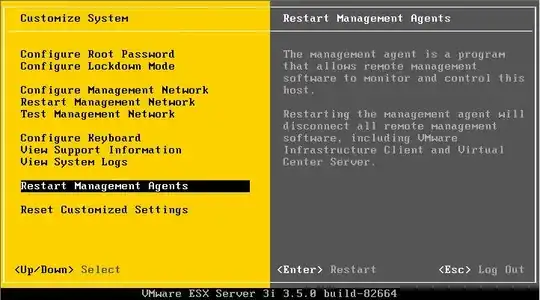
But... what if I instead want to view one of the VMs running on it? How do I view a VMs screen? Or rotate through the screens of the VMs I have running?

Is there something simple I'm missing, but I can't seem to find out if it's possible to "KVM switch"'ish the screen on my ESXi box...

WernerCD
  • 4,313
  • 6
  • 32
  • 43

1 Answers1

0

As far as I know there is no VMware supported way (or really any hacks that I've heard of) which allow you to view a guest from the host display. Host display ports are for access to the console, not any of the guest VMs.

Abraxas
  • 4,306
  • 6
  • 30
  • 47
  • This is the route I was going to try and use, although I haven't had good luck with USB Monitor Ports previously (old, buggy software in my experience). – WernerCD Jan 28 '15 at 01:09
  • yeah, neither have I, hence my skepticism. Additionally, I don't know how ESXi would handle multiple guests using the same on-host USB device. I am pretty certain you can't do what you are requesting. – Abraxas Jan 28 '15 at 01:10
  • @WernerCD Were you able to find anything else regarding this? – Abraxas Jun 28 '15 at 17:02
  • I didn't (and I had some other requirements that basically made me switch to Windows Server). No amount of tinkering got "passthru" to work for me - not saying it isn't possible, but I didn't find anything and didn't have any success getting it to work. I'll try again some day, as I'd like to have an esxi playroom - but it'll be once I get another machine that I don't need the monitor on or when I hear that passthru video works :) – WernerCD Jun 29 '15 at 18:37
  • Cool, I'll remove the last part of my answer then. Thanks – Abraxas Jun 29 '15 at 18:42