When I have multiple layers in Krita, how can I export each layer as an individual image?
Asked
Active
Viewed 2.5k times


5 Answers
12
I know I am a bit late, but Krita 4.1.0 (released this june) does have such option.
Go to "Tools"->"Scripts"->"Export layers". There you can choose the folder and what to do with visible/invisible layers. The output image names are the layer names.

user1833218
- 236
- 2
- 7
-
3This is the correct answer. Works like a charm, and even nests layer images in subfolders when they're grouped in the layers palette. – Artif3x Nov 09 '18 at 19:22
4
There is no direct export option, however when saving in the .tif format, you can easily convert to separate .png files using Imagemagick's convert.
If you save the following image:

in the .tif format without flattening:
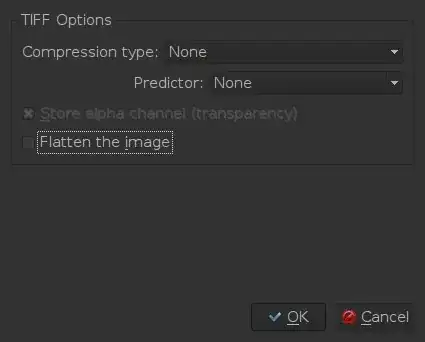
and then convert to single images using:
convert layered.tif layers.png
you will then have the separate images:

Hopefully, installing Imagemagick won't be a challenge or two.
There also seems to be a script to convert from .ora, however saving as .org is very slow and a quick test of the script created results of much smaller resolution.

1
Another option is to save a file in psd format and then use other editors (gimp, etc.).

m039
- 111
- 2
1
I just did it manually by figuring out the dimensions of my canvas and creating a new project with the same dimensions. Then I copied and pasted each layer one at a time from the old project into the new one and went to file > export > and saved each layer under a different.png file name.
This was an easy solution for me that didn't involve installing other software, and I luckily only had 3 layers so it just took a few minutes. I can understand that this would be tedious with many layers, but I just thought I'd throw my answer out there for anyone with a simple project.

user1734445
- 11
- 1
0
Use File > Export > Spriter SCML - this command export all layers as files and all groups as folders
