9

I'm of the opinion that the orthodox 50-character limit on git commit messages is absolutely ridiculous. (Primarily because I think using an 80-character wide Terminal in 2015 is equally ridiculous.) :P

I've fixed a few other glaring issues with vim's default settings for git commit-messages in my vimrc; but vim still hilights the first line if it's longer than 50 characters:
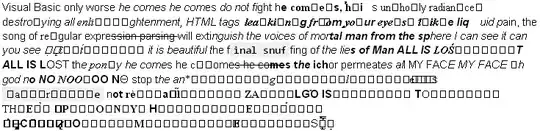
How can I change the line-length at which this occurs?

ELLIOTTCABLE
  • 2,315
  • 3
  • 27
  • 41
  • Don't forget that `git` is a tool to share your work. Unless you do only your personal stuff and never share it, you may assume terminals are very wide. However don't assume all users that may work with your changes use the same terminal width. Yes, having a "crispy one-line-summary" of your changes can be a challenge. – U. Windl Mar 14 '23 at 07:59

1 Answers1

8

This is caused by the following line from $VIMRUNTIME/syntax/gitcommit.vim:

syn match   gitcommitSummary    "^.\{0,50\}" contained containedin=gitcommitFirstLine nextgroup=gitcommitOverflow contains=@Spell

You could just copy that syntax script to ~/.vim/syntax/ and modify it, but that drags you into maintaining your clone. I prefer to selectively change that single syntax definition in ~/.vim/after/syntax/gitcommit.vim:

syn clear gitcommitSummary
syn match   gitcommitSummary    "^.\{0,80\}" contained containedin=gitcommitFirstLine nextgroup=gitcommitOverflow contains=@Spell

Alternatively / in addition, you could open an issue at the project and ask for a configurable threshold; the hard-coded limit certainly isn't nice.

Ingo Karkat
  • 22,638
  • 2
  • 45
  • 58
  • Is it even possible for that to be configurable? If so, I'll pass it on to @tpope. – ELLIOTTCABLE Mar 12 '15 at 15:08
  • 1
    For future reference: the maximum length as imposed by GitHub is [exactly 72 characters](https://github.com/ELLIOTTCABLE/System/blob/97425e4c9c9626869f890c0d463fa900420206a4/Dotfiles/vim/after/syntax/gitcommit.vim#L2). ([Thanks, @tpope](https://github.com/tpope/vim-git/issues/21#issuecomment-36711884).) – ELLIOTTCABLE Mar 12 '15 at 15:16
  • On my Mac $VIMRUNTIME is empty. Is that likely `~/.vim`? – Dan Rosenstark Jan 05 '19 at 15:22
  • 1
    @DanRosenstark: No, that's your personal configuration directory (where you'd put the override in the _after_ directory). `$VIMRUNTIME` refers to the Vim scripts that ship with Vim. You should see the actual location in the `:scriptnames` output; lots of scripts are loaded on startup from there (and one of those will end with `syntax/gitcommit.vim`). – Ingo Karkat Jan 05 '19 at 17:45
  • 1
    Cool, I see it now, thanks! `/usr/share/vim/vim80/syntax/gitcommit.vim` – Dan Rosenstark Jan 05 '19 at 22:15