1

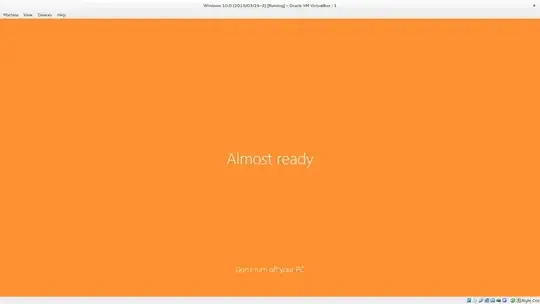
Windows has been telling me for the last 10 minutes that it is either "Taking care of a few things" or "Almost ready":
enter image description here

What is going on behind the scenes when it says this, and is there any way of getting it to display a console output instead of this splash screen?

Tim
  • 2,367
  • 2
  • 16
  • 23

3 Answers3

2

This is the way the installer tells you that it is still working. The alternative would be a 'silent' screen and you would wonder what is going on. The Chrome installer does it the same way.

10 minutes for that is a tad long but that could be because your system does have reduced resources like a slow disk, slow CPU little RAM, etc.

Can you elaborate on the "console output" question. I am not sure what you are looking for.

whs
  • 1,301
  • 9
  • 10
  • When I boot ubuntu I see a list of what it is doing, like this: http://www.bitbenderforums.com/~grogan/kernhowto/dmesg.gif. Is there a way to see this on Windows? It has 10 GB of ram and 6 intel i7, plus 128MB Video Display threads, on latest VB so I doubt it is resources. It could be Windows 10 being slow I suppose - but this was just an update, not a reinstall (although that's what it looked like). – Tim Mar 26 '15 at 20:20
  • LOL, I know, Linux throws all that terminal stuff at you. But do you really read that and does it give you more insight. It looks like you have plenty of resources. I have a similar PC and my installation was not that long - at least I do not recall that. But I installed W10 in VMware Player. – whs Mar 26 '15 at 20:27
  • This is in Oracle VM VirtualBox Manager v4.3.26 (latest). I don't need it, but as it is a technical preview I'd like to be able to see that view - is there a shortcut, like holding shift at start up? – Tim Mar 26 '15 at 20:29
  • 2
    "Console output" ... something that's not a dumb gif file animated (poorly) from another thread. Something that's not a sarcastic pat on the head with the sole purpose to stop someone from pressing the power button because every piece of feedback has been deemed too complicated for some PHB at Microsoft and hidden leaving nothing but a black screen. That's what we mean! – user3710044 Mar 26 '15 at 21:16
2

In essence, Windows is generating unique Security Identifiers and doing other post-deployment tasks (check sysprep and unattend.xml to get an idea of the stuff that's going on in detail).

Check C:\windows\setupact.log and C:\windows\setuperr.log.

megamorf
  • 2,363
  • 15
  • 21
  • Upvoted because this is the most *helpful* answer. It is a pity however that there does not seem to be a way to get something more verbose about what it is doing. :-/ – zaTricky Jan 25 '16 at 08:11
1

Specifically, when this message is being displayed Windows is executing the oobeUser portion of the answer file that Microsoft SysPrepped it with (or your answer file if you repackaged it). It's building out your user profile by copying over the Default user profile and then individualizing it for you.

Wes Sayeed
  • 13,662
  • 6
  • 41
  • 76