Is it possible to send audio from one PC to another using audio cables? Audio output of source PC into the mic in of the target PC, for example
Asked
Active
Viewed 2.8k times

1 Answers
6
Yes, you can send Audio from a PC to another, if both have soundcards with the appropriate jacks (Usually they look like headphone jacks).
You need to send from Line-Out of one PC to (ideally) Line-In of the other.
You can also connect Speaker-Out to Microphone in, but will most likely get some distortion, and should try with very low volume first.
If connecting 2 Desktops, you most likely need a "3.5mm Stereo Connection Cable". It should have 2 ends like these: https://upload.wikimedia.org/wikipedia/commons/8/8b/Audio-TRS-Mini-Plug.jpg. If both devices each have jacks in lime-green and light blue, then you'll want to cable from Audio-Source Lime-Green to Audio-Sink Light-Blue.
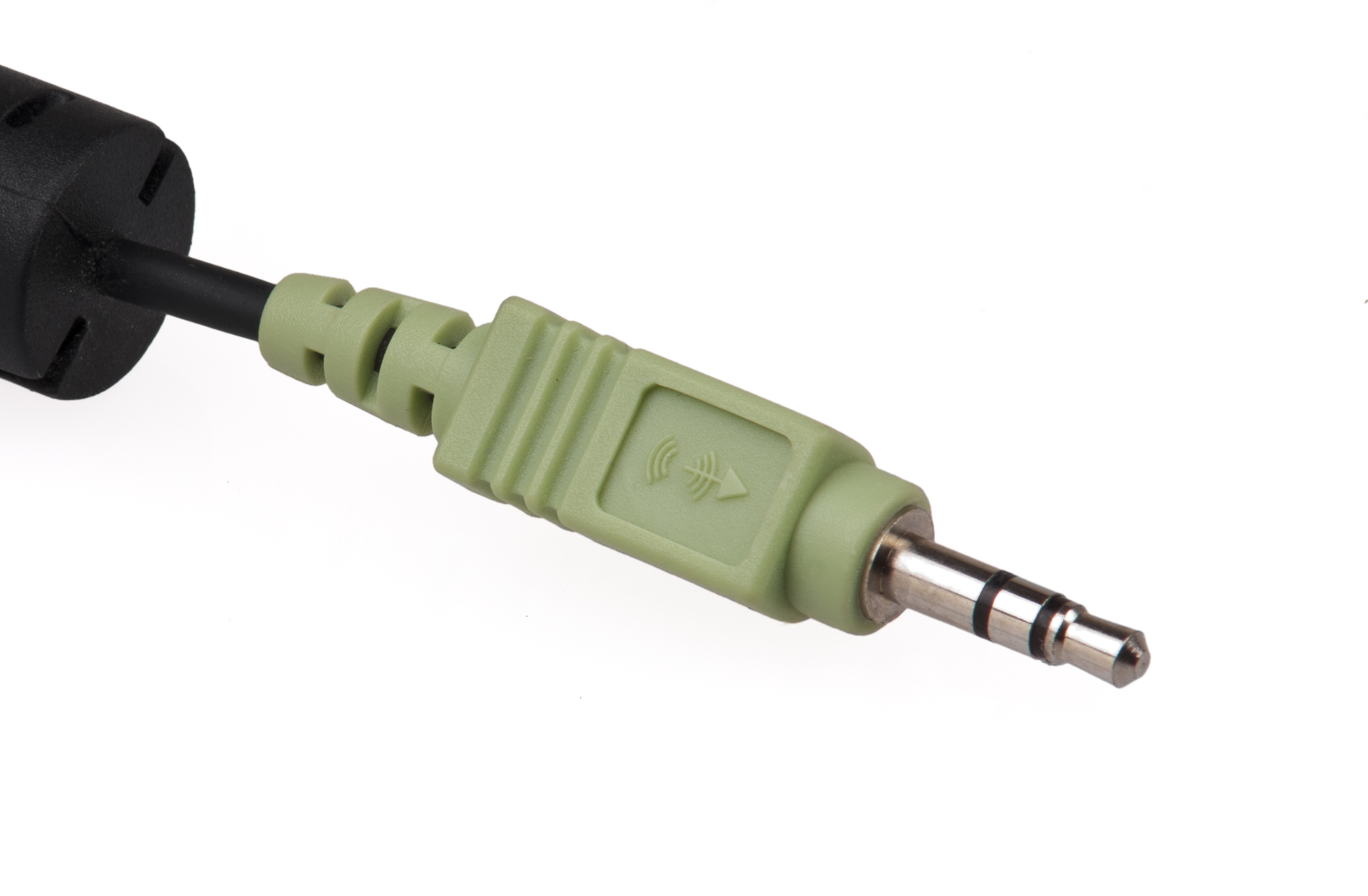
If one of the devices is a portable device, you might need a cable, that takes into account the Mono Microphone channel, that many newer mobile devices also have on the Audio Jack (Making it a "HeadSet Port"). (Picture: https://upload.wikimedia.org/wikipedia/commons/3/3b/3.5mm.jpg --Note the 3 black rings on this one)


Alex Stragies
- 2,248
- 1
- 15
- 17
-
2Don't use the mic in, unless it's one of the new multipurpose "input" jacks that can be optioned to either mic or line in (in that case there will be a pop-up asking you which way you want the jack configured). The mic in on a PC is not stereo, expects only very low level audio, runs the audio through a very low quality, noisy preamp, and puts +5VDC on the "ring" contact, which you definitely do not want to connect to any line out or headphone or speaker output. – Jamie Hanrahan Aug 09 '15 at 20:39