1

I'm trying to find the shortest path between a file upload input on a web page and scanning a document. My current workflow is to scan a document into a folder on the computer, then upload the file from the computer using the upload file dialog.

Is there any way to manually add a scanner in the default file browser dialog such that when I click on a "select file to upload" button on the web, I can select the scanner and initiate a scan using the file browser dialog?

Note: I am not trying to add this option dynamically from the web page. I am using the computer attached to the scanner, and I want to be able to initiate scans from file inputs while browsing the web.

A file upload link in Internet Explorer:

file upload button

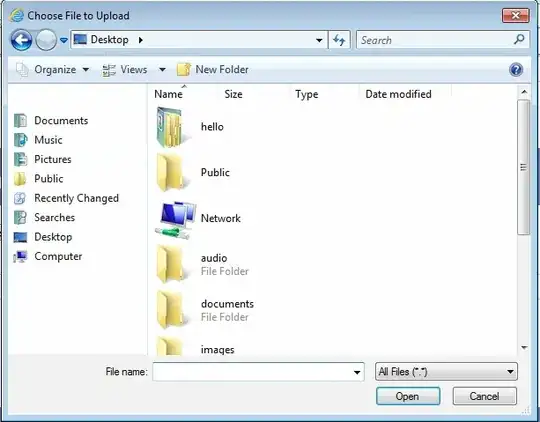
Consequent file browsing dialogue:

file browser dialog

An imaginary possible addition to the file browsing dialogue:
new file browser option

BenjaminGolder
  • 967
  • 2
  • 8
  • 13
  • Letting a webpage control the computer like that would probably be something of a security hole, so I don't think you can do it. If you own the web page and are on the same network, you could tell the users to place the scanned file in a certain folder, and then write a script to copy the files over automatically. – David Oct 07 '15 at 16:29
  • @David I think you misunderstood what I'm trying to do. I am _not_ trying to dynamically add this option from the web page. I _am_ trying to add this option _manually_ as an admin user on Windows so that it shows up when I am uploading files to any webpage. – BenjaminGolder Oct 07 '15 at 17:27
  • 1
    That should be possible then. You might be able to add a context entry to all folders to pull up your scanner. http://superuser.com/questions/392212/how-can-i-add-a-program-to-the-context-menu-of-all-files – David Oct 07 '15 at 20:37

0 Answers0