I do not want to include (D:) drive in the image.
I believe I know the cause of this, it's because I have some Directory Junctions and/or Symbolic Links.
Any suggestions other than removing the MKLINKS?
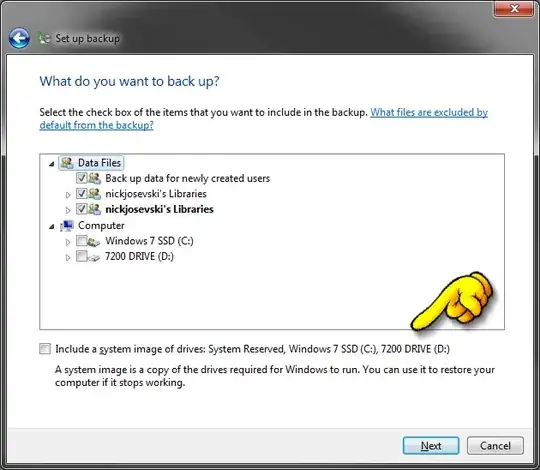
I do not want to include (D:) drive in the image.
I believe I know the cause of this, it's because I have some Directory Junctions and/or Symbolic Links.
Any suggestions other than removing the MKLINKS?

To find list of services using "D" try this command
FOR /F "tokens=2" %%G IN ('sc query type^= service ^| find /I ^"SERVICE_NAME^"') DO sc qc %%G | find /I "BINARY_PATH_NAME"

Based on a tweet from @MSAU here.
I believe I found out it was a service, that was installed to D: it was iBackup not sure if I chose it to be installed there or it chose an additional drive as C: was the target of the backup.
Simply uninstalling this removed D: from the list of drives to include in the image.
