I have two 1333 DDR3 memory modules with different brands. I wonder if they can be used in a dual channel setup. How can I check that?
Asked
Active
Viewed 3.7k times

3 Answers
19
download CPU-z over here: http://www.cpuid.com/softwares/cpu-z.html , once you have got it downloaded open it up and go to the memory tab at the top. Once you are there you will see a box that says channels: [AMOUNT OF CHANNELS] . That's it.
I hope I helped :)

Shad Asinger
- 345
- 3
- 10
-
it tells the number of channels available/being used. Does it tell whether the ram is actually working in "dual channel memory mode", that is twice the bandwidth. – Silver Moon Dec 01 '22 at 14:25
14
This information is usually available on boot or inside the bios.
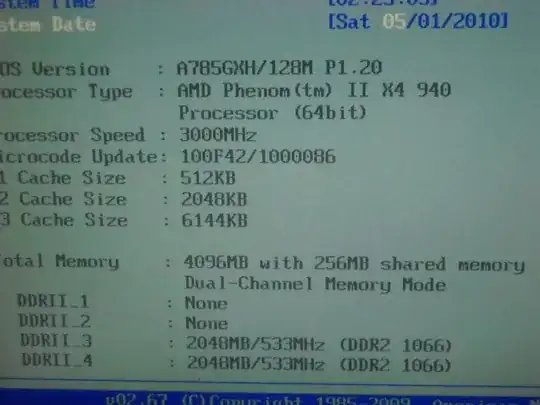
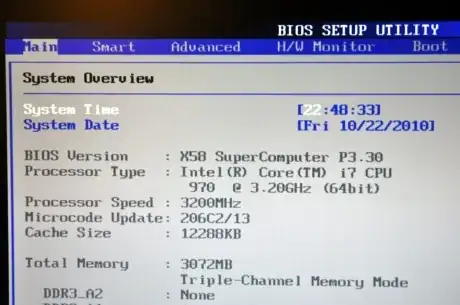

Avio
- 908
- 1
- 13
- 18
-
i dont see this information on my ddr4 desktop and laptop uefi interfaces. where else can i see it. – Silver Moon Dec 01 '22 at 14:26
-
As the accepted answer says, you can also install CPU-Z to check for dual-channel mode: https://techwiser.com/wp-content/uploads/2019/12/dual-channel-cpu-z-ram.png – Avio Jan 11 '23 at 14:20
1
You can also check if the Dual channel mode is active by using AIDA64 Extreme Edition, by going in Motherboard/Chipset on left menu and accessing the Memory Controller information. If the Active Mode is Dual Channel (128 bits), then your memory is operating on dual channel mode

Canadian Luke
- 24,199
- 39
- 117
- 171

André Luiz Brazil
- 11
- 1