5

Possible Duplicate:
How do I turn off Modern UI in Windows 8?

I totally miss the Start button on Windows . Is there a way to imitate or get functionality just like of Windows 7 Start button in Windows 8?

CodeMonkey
  • 549
  • 1
  • 3
  • 14

2 Answers2

6

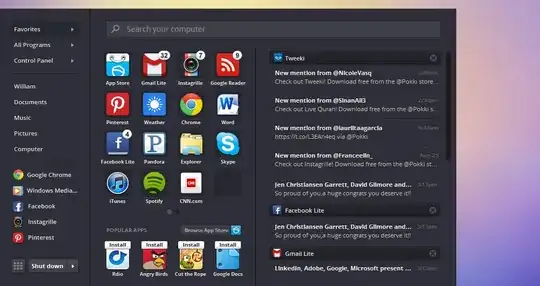
You're going to have to use a third party app. Stardock's Start8 and Pokki are two such apps which provide a 'replacement' start button for Windows 8

Start8:
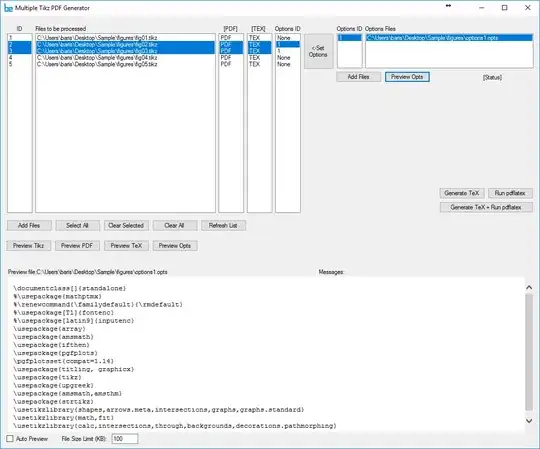
enter image description here

Pokki:

enter image description here

Sathyajith Bhat
  • 61,504
  • 38
  • 179
  • 264
2

Been using Classic Shell for a long time now to fix some of the annoyances in Windows 7, and now it works great with Windows 8 as well!
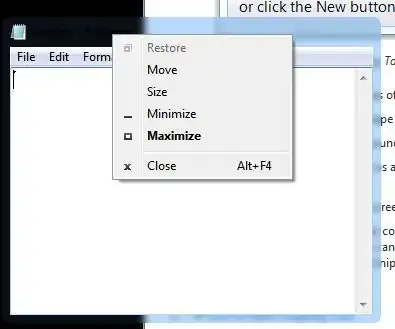
enter image description here

Karan
  • 55,947
  • 20
  • 119
  • 191
  • Hi @Karan, I also use free Classic Shell too! But the start button not showed when Windows 8 starts for the first time. I have to start Classic Shell application once to have the button. Do you have the same issue? How to get the button auto added at start up? – Nam G VU Jun 15 '13 at 01:33
  • @NamG.VU: Worked fine for me last time I checked. Which version of CS are you using? Are you booting straight to the desktop? You might want to ask the developer over in the [forum](http://www.classicshell.net/forum/) so your issue can be debugged properly, perhaps with logs you provide. – Karan Jun 15 '13 at 01:35
  • I use version 3.6.7 the latest for now. I'm not booting straight to desktop. How to get that? – Nam G VU Jun 15 '13 at 01:42
  • @NamG.VU: See my answer [here](http://superuser.com/a/606095/138343). – Karan Jun 15 '13 at 01:47
  • I tried but the issue remained. – Nam G VU Jun 15 '13 at 02:17
  • I would go for Okki Menu http://alternativeto.net/software/pokki-menu/ – Nam G VU Jun 15 '13 at 03:29
  • At this point of course there are several alternatives. You should use whatever works best for you. – Karan Jun 15 '13 at 04:25